Choose freedom, control or both
You decide how much your client can change, block by block. Give them InnerBlocks where they should be free to add blocks, limited to the blocks you allow, or typed fields where you want control over exactly what goes in.
-
Freedom, on your terms
InnerBlocks, with more control than patterns
As with a pattern, your client can add, move and remove blocks inside the area. Unlike a pattern, you choose which blocks are allowed from a list, and the block around them can run its own JavaScript, such as a carousel, a filter or a scroll animation.
<InnerBlocks allowedBlocks='["core/heading", "core/paragraph", "core/buttons"]' /> -
Control
Typed fields
Your client fills in exactly the fields you define. Colours and spacing come from your theme's tokens, and a list's minimum and maximum stop the page from saving until it's right.
block.fields.json -
Both
Fields and InnerBlocks in one block
Use typed fields for the parts that must stay on brand, such as a heading, an image and a colour, and InnerBlocks for the parts your client should shape themselves.
fields + <InnerBlocks />
As many InnerBlocks areas as your design needs
Core Gutenberg gives a block one InnerBlocks area. With GCB, one block can have several, each in its own place in the design and each with its own list of allowed blocks: the words beside the photo, the buttons underneath. Your client fills each area right where it sits, and the areas stay locked in place.
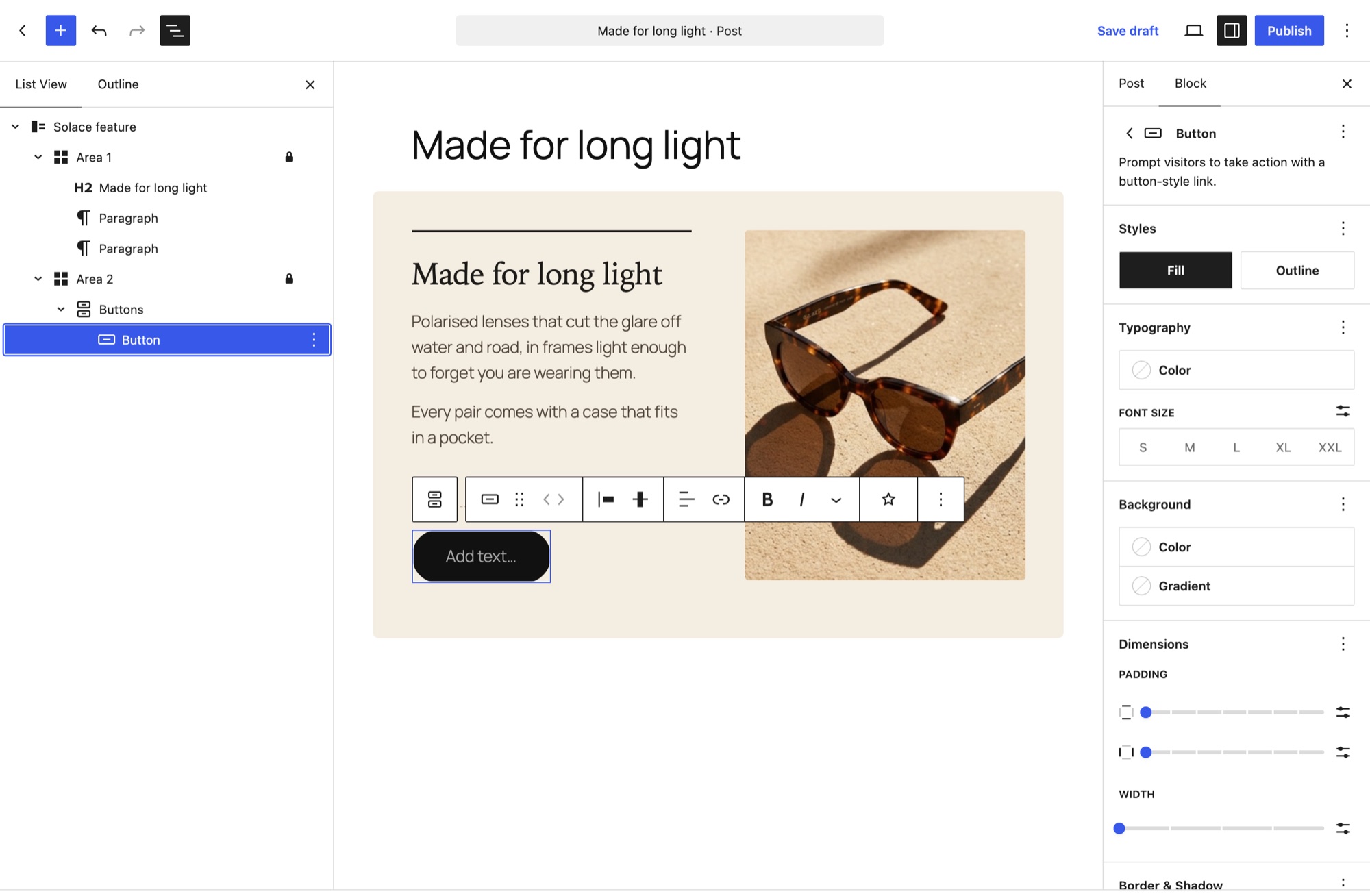

<div class="sol-feat__words">
  <InnerBlocks data-gcb-slot="0"
    allowedBlocks='["core/heading","core/paragraph"]' />
</div>
<figure class="sol-feat__pic">…</figure>
<div class="sol-feat__acts">
  <InnerBlocks data-gcb-slot="1"
    allowedBlocks='["core/buttons"]' />
</div>
Build anything in the block editor
Every licence includes all features and a year of updates and support.